
Color Palette
Generator DCTL
Introduction
Generate professional color palettes instantly with our Color Palette Generator DCTL for DaVinci Resolve Studio.
This advanced color grading tool extracts and analyzes up to 16 dominant colors from any video frame, helping colorists and filmmakers create consistent visual aesthetics across their entire project.
Perfect for professional post-production workflows, the Color Palette Generator DCTL revolutionizes how you approach color analysis and reference creation.

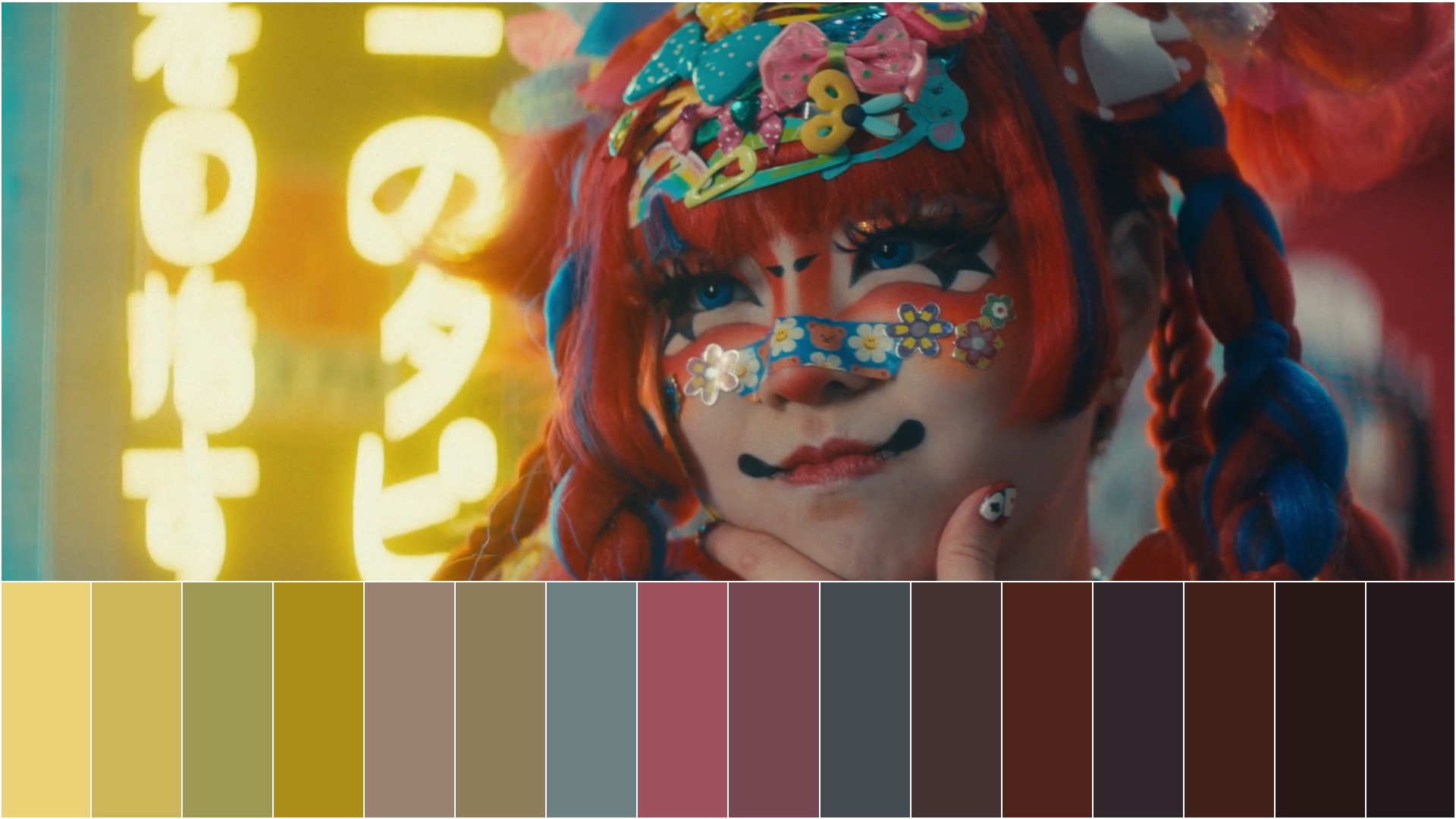
Key features
Intelligent color sampling
Color Palette Generator DCTL employs intelligent sampling algorithms that adapt to different image content.
Our randomness control system (levels 1-10) varies sampling patterns to capture the most representative colors from any scene, making it superior to fixed-grid sampling methods used in basic color analysis tools.
Multiple sorting method
Sort and arrange extracted colors using five different professional methods including hue, temperature, saturation, and luminosity-based ordering.
Choose the sorting approach that best fits your creative vision and technical requirements.
Customizable display options
Adjust palette height, positioning, and visual elements to match your workflow needs.
Control borders, sample point visibility, and layout options for optimal integration with your color grading process.
Professional border controls
Create presentation-ready color references with customizable border thickness (1.0-10.0), individual border control for each side, and professional white separators between color swatches.
Perfect for client presentations and team collaboration.

Installation guidelines
1. Navigate to Project Settings
2. Select “Color Management” and click “Open LUT Folder”
3. Drag the DCTL file into the opened directory
4. Restart DaVinci Resolve Studio
Try it. Then own it.
One DCTL. No subscriptions, ever.
Demo
- All features included
- Subtle watermark, doesn't interfere with the result
- Test it in your own workflow before buying
Color Palette Generator DCTL
€19.99One-time payment · lifetime updates
- Clean output, zero watermark
- Free updates for life